

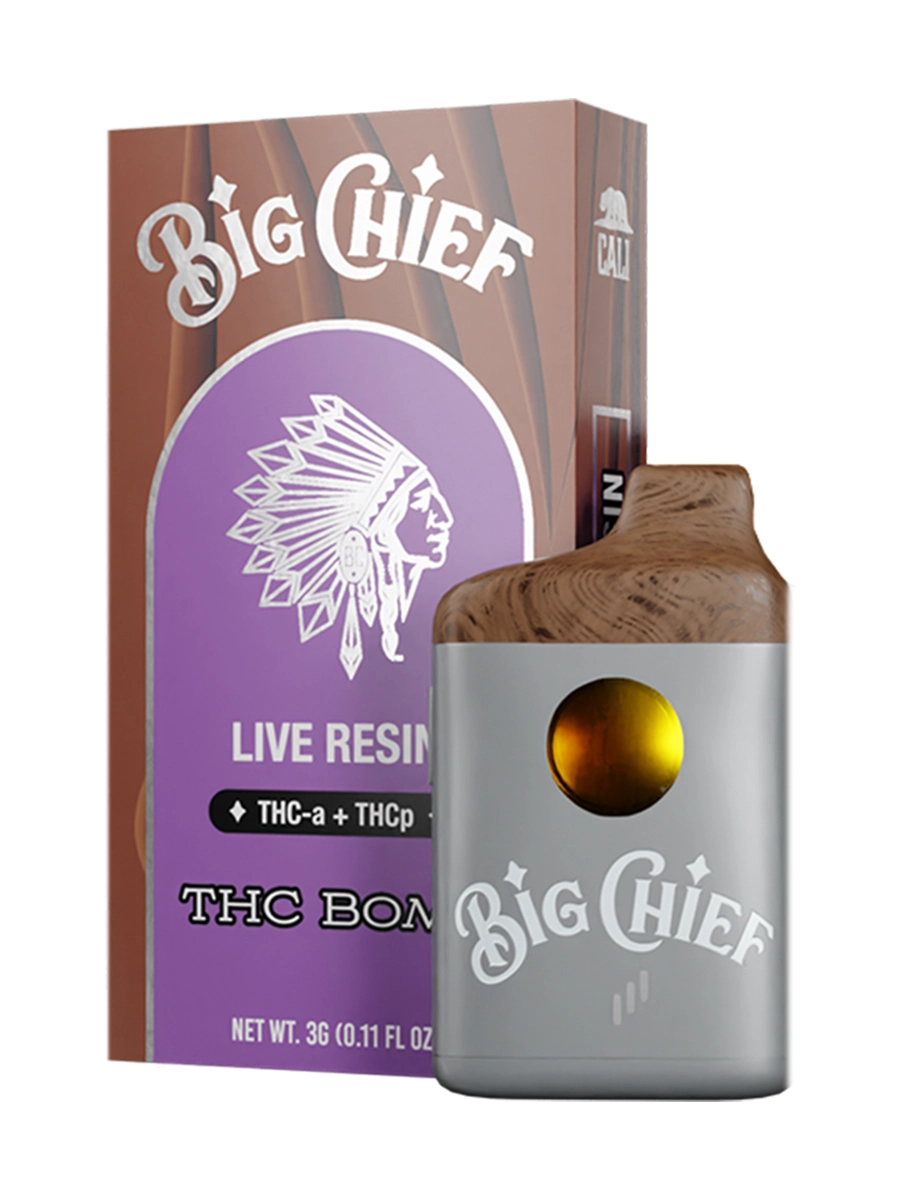
THC Bomb
$25.00
Description
Description
Big Chief Disposable 2G Switch: The Complete User Guide to Every Mode and Function
The Big Chief disposable 2G switch is the most misunderstood feature on the Duo lineup — and also the one that determines whether you get the full value from a 2,000mg dual-chamber device or leave half its capability untouched. The switch isn’t just a chamber toggle. On V3, it controls four distinct operating modes — Dual Pulse, Dual Boost, Combo Mode, and Pre-Heat — each producing a meaningfully different vapor output from the same device. This guide covers every button function across V1, V2, and V3 so you know exactly what you’re pressing and why.
What Is the Big Chief Disposable 2G Switch?
The Big Chief disposable 2G switch refers to the physical button system on the Big Chief Duo 2G dual-chamber all-in-one disposable — the control mechanism that governs chamber selection, voltage mode, vapor output, and pre-heat function. On the V1, it was a simple physical toggle for chamber alternation. On V2, it became a tactile-click toggle paired with a power button. On V3, it evolved into a full multi-click input system with four distinct operating modes including automatic alternation between chambers.
Understanding the switch is understanding the device. The Duo’s dual-chamber concept — two 1g Liquid Diamonds chambers in one pen — is only as useful as your ability to control which chamber fires, at what voltage, and on what schedule. The V3’s button architecture represents the most complete execution of that control system Big Chief has produced to date.
Quick Overview: Switch Functions by Version
V3 Switch System: The Full Button Mode Guide
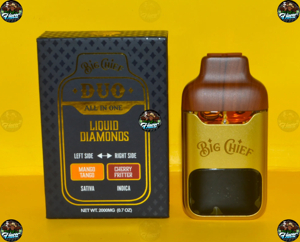
The V3 is the current-generation Big Chief Duo 2G and the most feature-complete version of the switch system. The packaging reads: “Big Chief Dual All-in-One Liquid Diamonds — Highest Quality Extracts, High Potency, Full Spectrum, Lab Tested, Ready to Use, USB-C Rechargeable”. Every mode is button-controlled with a specific click pattern:
Power On / Off — 5 Rapid Clicks
Press the button five times rapidly to power the device on or off. This is the universal activation standard across all three Duo versions and consistent with the Big Chief 3G disposable’s power protocol. Five clicks is a deliberate anti-accidental-activation design — you can’t pocket-fire the device with an accidental single press.
When you power on, the LED display activates and shows current battery level and per-chamber oil status. If the display doesn’t illuminate on power-on, that’s a hardware or counterfeit signal — on an authentic V3 unit, the LED display is functional from the moment the device is powered.
Chamber Toggle — Single Press (Between Sessions)
The primary chamber switch function operates through a single button press to alternate between Chamber 1 and Chamber 2. On V2, this produced a tactile click to confirm the switch. On V3, the LED display confirms which chamber is active in real time.
Critical usage note: After pressing the chamber switch, wait one full second before drawing. The newly activated ceramic coil needs a brief settling period before it’s producing optimal vapor from the newly active oil chamber. Users who draw immediately after switching frequently report a thin first pull and attribute it to a hardware issue — it’s not. It’s the coil warming up to the new chamber’s oil profile.
Pre-Heat Mode — 4 Clicks
Press the button four times to activate pre-heat mode on the V3. This is a significant change from V1 and V2 where pre-heat was a 2-second button hold — the V3 moves it to a dedicated click pattern, which is both faster and more deliberate.
Pre-heat mode is essential in three specific scenarios:
-
First draw of any session — warms cold Liquid Diamonds oil to optimal viscosity for the ceramic coil
-
Cold environments — Liquid Diamonds concentrate thickens below 65°F, restricting airflow and producing thin vapor without pre-heating
-
After extended periods of non-use — oil settles in cold chambers and needs thermal activation to flow cleanly to the coil
On the V3, the pre-heat cycle runs for approximately 15 seconds and brings both active chambers to operating temperature. You do not need to pre-heat before every individual draw — once per session is sufficient under normal room temperature conditions.
Dual Pulse Mode — 2 Clicks
Press the button two times to activate Dual Pulse Mode — the V3’s most distinctive new feature. In Dual Pulse, the device automatically alternates between both chambers every second, creating a continuous cycling effect that draws from Chamber 1 and Chamber 2 in rapid alternation without manual toggling.
The practical result is a blended vapor draw that combines both strain terpene profiles simultaneously rather than sequentially. A reviewer who unboxed the V3 noted the packaging specifically calls this out as a “new combo feature” — and from hands-on use, the automatic alternation produces a noticeably different flavor character than either chamber alone. Users who’ve been toggling manually between chambers on V1 and V2 report Dual Pulse as a genuine quality-of-life upgrade that the manual toggle couldn’t replicate.
Best pairings for Dual Pulse: Fruit-contrast pairings like Frozen Cherries + Raspberry Parfait or Lemon Head Z + Georgia Pie produce the most interesting blended terpene results — the automatic alternation between opposing flavor profiles creates a layered draw that single-chamber devices can’t approach.
Dual Boost Mode — 3 Clicks
Press the button three times to activate Dual Boost Mode. Dual Boost delivers “maximum voltage and enhanced technology to give you the biggest clouds for the most potent experience” according to the V3 packaging description reviewed on YouTube.
In practical terms, Dual Boost increases the coil voltage beyond the standard draw-activated level — producing denser vapor, faster onset, and a noticeably more intense session from the Liquid Diamonds formulation. The trade-off is the same as any high-voltage mode on a ceramic coil device: more terpene throughput per draw, but at higher draw frequency this mode will work through your oil faster than standard draw-activation.
Recommended use: Reserve Dual Boost for intentional high-intensity draws rather than continuous session use. The standard draw-activated mode preserves terpene character more faithfully over the full 2,000mg capacity; Boost is the finishing-line mode, not the daily driver mode.
Combo Mode — 2 Clicks While in Boost Mode
The V3 introduces a combined operating state: while in Dual Boost Mode, press the button two additional times to activate Combo Mode. According to the V3 packaging, “when in Boost Mode, click two times to combine Pulse Mode with the power of Boost Mode” — meaning Combo Mode delivers the automatic chamber-alternating function of Dual Pulse at the elevated voltage of Dual Boost simultaneously.
This is the V3’s most potent single-device operating state. Combo Mode automatically alternates between both chambers every second at maximum voltage, producing blended high-density vapor from both Liquid Diamonds profiles simultaneously. From the reviewer’s hands-on assessment, this mode is notably more intense than any single-mode operation and is specifically designed for experienced users who want the maximum output the device can produce.
V2 Switch System: What Changed From V1
The V2 simplified the switch experience relative to V1 by addressing its two most-cited usability problems:
V1 problem: Stiff physical toggle with no confirmation feedback — users weren’t sure if the switch had engaged
V2 solution: Revised mechanism with a tactile click that confirms chamber change has registered
V1 problem: No battery or oil indicator — users guessed remaining capacity until vapor dropped off
V2 solution: Smart LED display showing real-time battery percentage and per-chamber oil level
The V2 retained the 2-second button hold for pre-heat and 5-click power on/off that were standard on V1. The chamber toggle click confirmation was the primary usability upgrade — and it addressed the most frequent V1 complaint directly.
A YouTube reviewer who tested the V2 called it “absolutely fire — two strains of high quality liquid diamonds that just taste absolutely amazing” with the dual-coil system specifically highlighted as the most noticeable improvement over V1 in session-to-session consistency.
V1 Switch System: The Original Toggle
The V1 used a physical side-mounted toggle switch for chamber selection — a mechanical lever that moved between two positions to activate Chamber 1 or Chamber 2. It worked but required deliberate force and provided no tactile confirmation of successful chamber change.
The V1 pre-heat function was a 2-second button hold before first draw — the same protocol that carried through to V2 before the V3 moved it to a 4-click pattern. Power on/off was 5 rapid clicks — consistent across all three versions.
V1 users developed workarounds for the missing battery indicator: charging every 1–2 days of regular use proactively rather than waiting for vapor to drop off. The switch itself had a brief delay after toggling before the newly active coil produced clean vapor — the same 1-second pause that’s recommended on all versions, but more pronounced on V1 where the single shared coil needed more settling time between chamber transitions.
Troubleshooting the Big Chief Disposable 2G Switch
The device isn’t responding to button presses:
Check if the device is powered on — press the button 5 times rapidly to power on. If the LED doesn’t activate, charge via USB-C for 15–20 minutes before retrying. A fully depleted battery may not respond immediately on the first few button presses after connecting charge.
The first draw after switching chambers is thin:
This is expected behavior — not a defect. After pressing the chamber switch, wait one full second before drawing. The ceramic coil needs a brief settling period to draw fresh oil from the newly active chamber. On V3 in Dual Pulse mode, the automatic alternation handles this timing internally.
Pre-heat isn’t working on V3:
Ensure you’re pressing the button 4 times — not holding it. V3 moved pre-heat from the 2-second hold (V1/V2 method) to a 4-click activation. Attempting a 2-second hold on a V3 unit may activate a different function or produce no response.
Dual Boost mode produces a burnt taste:
Reduce session frequency in Boost mode. Dual Boost at high draw frequency works through oil faster than the ceramic coil can optimally vaporize it — lowering draw rate or switching back to standard draw-activation preserves terpene character and prevents the thermal oversaturation that causes harshness.
The switch doesn’t click (V2) or doesn’t feel right:
On V2 units, the tactile click is a clear, definitive feedback. A mushy or absent click is a hardware anomaly — check authentication via QR scan before continuing use. Counterfeit V2 units frequently fail to replicate the tactile click mechanism accurately.
Combo Mode won’t activate:
You must be in Dual Boost Mode first (3 clicks) before pressing 2 additional clicks to enter Combo Mode. Pressing 2 clicks from standard operating mode activates Dual Pulse — not Combo. The sequence is: 3-click Boost → 2-click Combo.
How to Use Every Switch Mode: Quick Reference Card
Pros and Cons of the V3 Switch System
Pros:
-
Four distinct operating modes give genuine session customization unavailable on any V1 or V2 device
-
Dual Pulse automatic alternation creates blended terpene draws that manual toggling couldn’t replicate
-
4-click pre-heat is faster and more intuitive than the 2-second hold on V1/V2
-
LED display confirms active chamber, battery level, and oil status in real time
-
Combo Mode (Pulse + Boost simultaneously) is the most feature-complete operating state in any cannabis disposable currently available
Cons:
-
V3’s multi-click system has a learning curve — new users who’ve only used V1/V2 will need time to build muscle memory for 2-click Pulse, 3-click Boost, and Combo Mode sequence
-
Dual Boost and Combo Mode work through oil faster than standard draw-activation — not suitable as the default daily mode
-
The pre-heat method change from hold (V1/V2) to 4-click (V3) creates confusion for users upgrading from earlier versions
-
Counterfeit V3 units may replicate the button exterior but not the actual multi-mode firmware — non-functional click modes are a counterfeit signal
Authenticity Check: What a Real Switch Feels Like
The switch system is one of the most reliable authenticity indicators across all three Duo versions:
V1: A genuine physical toggle with definitive mechanical resistance — not a loose rattle
V2: A tactile click that’s felt and heard — clean, definitive, not mushy
V3: Multi-click responses that activate distinct LED confirmations for each mode — each click pattern should produce a distinct LED response
Counterfeit units typically fail at the functional level — buttons that click without activating mode changes, LED displays that show static readings, or Pre-Heat that doesn’t produce the temperature difference on first draw. Scan the QR code at bigchief-carts.com/verify before first use regardless of how the button feels.
FAQ
How does the Big Chief disposable 2G switch work?
On V3, the switch system uses a multi-click button architecture: 5 clicks to power on/off, 1 press to toggle chambers, 4 clicks for pre-heat, 2 clicks for Dual Pulse, 3 clicks for Dual Boost, and 2 clicks while in Boost for Combo Mode.
What is Dual Pulse mode on the Big Chief Duo V3?
Dual Pulse automatically alternates between both chambers every second — producing a blended draw that combines both strain terpene profiles simultaneously rather than requiring manual toggling between them.
What is Dual Boost mode on the Big Chief Duo V3?
Dual Boost delivers maximum voltage through both ceramic coils — producing denser vapor and a more potent experience than standard draw-activation. Activated by pressing the button three times.
What is Combo Mode on the Big Chief Duo V3?
Combo Mode combines Dual Pulse automatic alternation with Dual Boost maximum voltage simultaneously — activated by pressing 2 clicks while in Boost Mode. It’s the highest-output operating state the V3 produces.
How do I pre-heat the Big Chief Duo V3?
Press the button four times to activate pre-heat on V3. This differs from V1 and V2 where pre-heat required a 2-second button hold.
Why is my first draw weak after switching chambers?
After pressing the chamber switch, the ceramic coil needs one second to settle before producing optimal vapor from the newly active chamber. Draw immediately after switching and you’ll get residual oil from the previous chamber rather than a clean first pull from the new one.
How do I know which chamber is active on the Big Chief Duo 2G?
On V2 and V3 units, the LED display confirms the active chamber in real time. On V1 units, track the position of the physical toggle switch — there is no display on V1.
What does 5 clicks do on the Big Chief disposable 2G?
Five rapid clicks powers the device on or off. This is consistent across all three versions — V1, V2, and V3.
Final Takeaway
The Big Chief disposable 2G switch evolved from a simple physical toggle on V1 into one of the most sophisticated button control systems in the cannabis disposable market by V3. Dual Pulse automatic chamber alternation, Dual Boost maximum voltage mode, and Combo Mode combining both represent genuine capability that no V1 or V2 device could approach. The learning curve is real — but it’s a 60-second read of the activation sequence that unlocks four distinct session experiences from a single device. Know your click patterns, pre-heat on the first draw, and the V3’s switch system becomes the most practical and feature-complete part of the whole Duo package.
Delivery Info
- Standard and Express delivery services are available for all items.
- Shipping costs are calculated at the checkout page (after delivery option & destination confirmation).
- Tracking is available for all delivery options.
- Items are delivered during standard business hours.


Reviews
There are no reviews yet.